A UX case study — designing a secure, intuitive document management platform for students and professionals who need reliable access to their most important files.
Timeline: 15 weeks
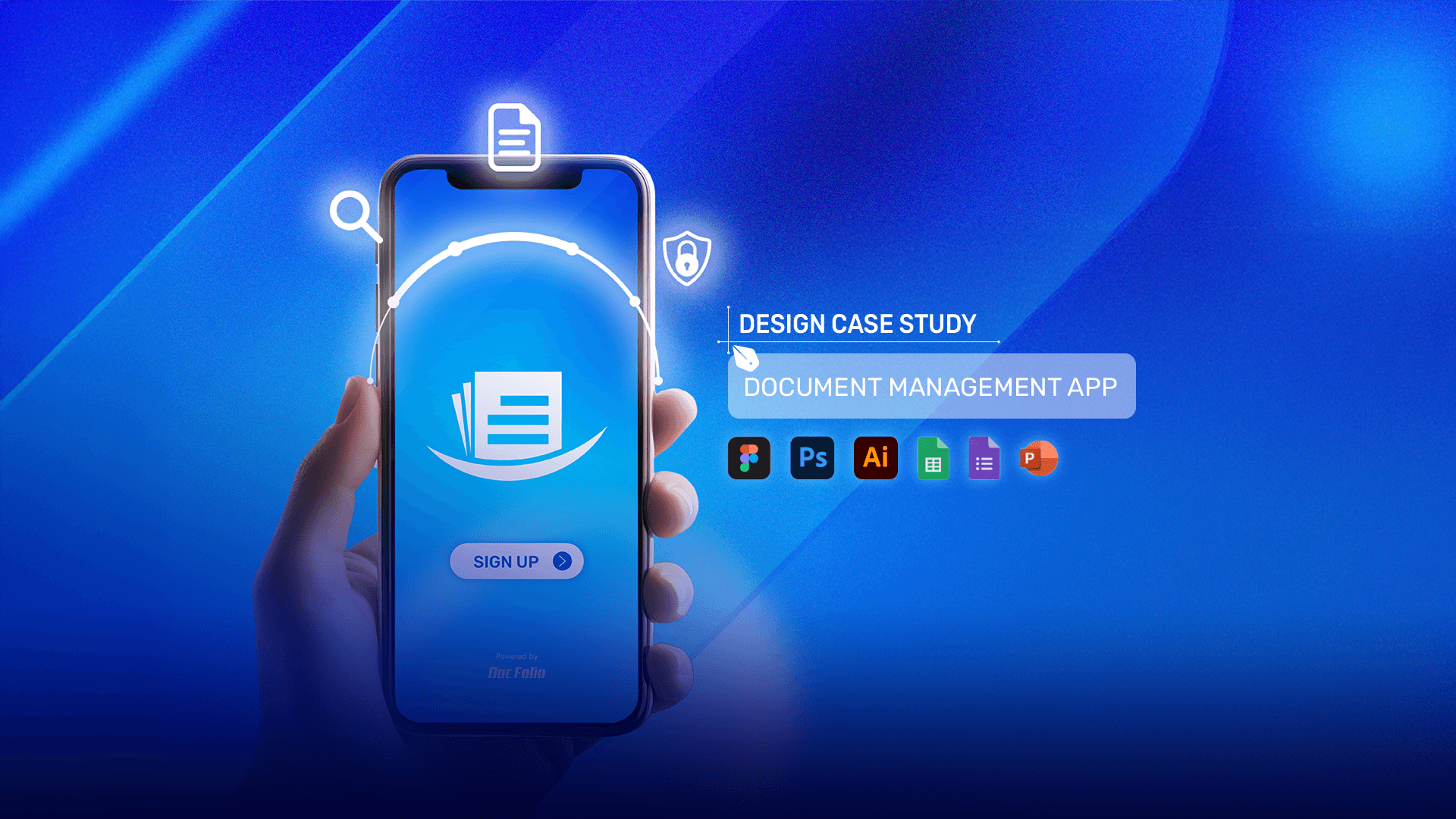
UX case study — streamlining document management for students
Intro
Timeline: 15 weeks
Problem & statement
College students struggle to retrieve required documents when applying to universities outside their home country because of the inability to access all documents at once.
My roles & responsibilities
UX Research Strategy | Design System | Ideation & testing | Solving Problem
Design process
I applied the Double diamond design method by first discovering user pain points around document loss, access, and deadlines through research. I then defined key problems, developed solutions through ideation and prototyping, and delivered a refined, user-tested system focused on secure, organized document management.
Research
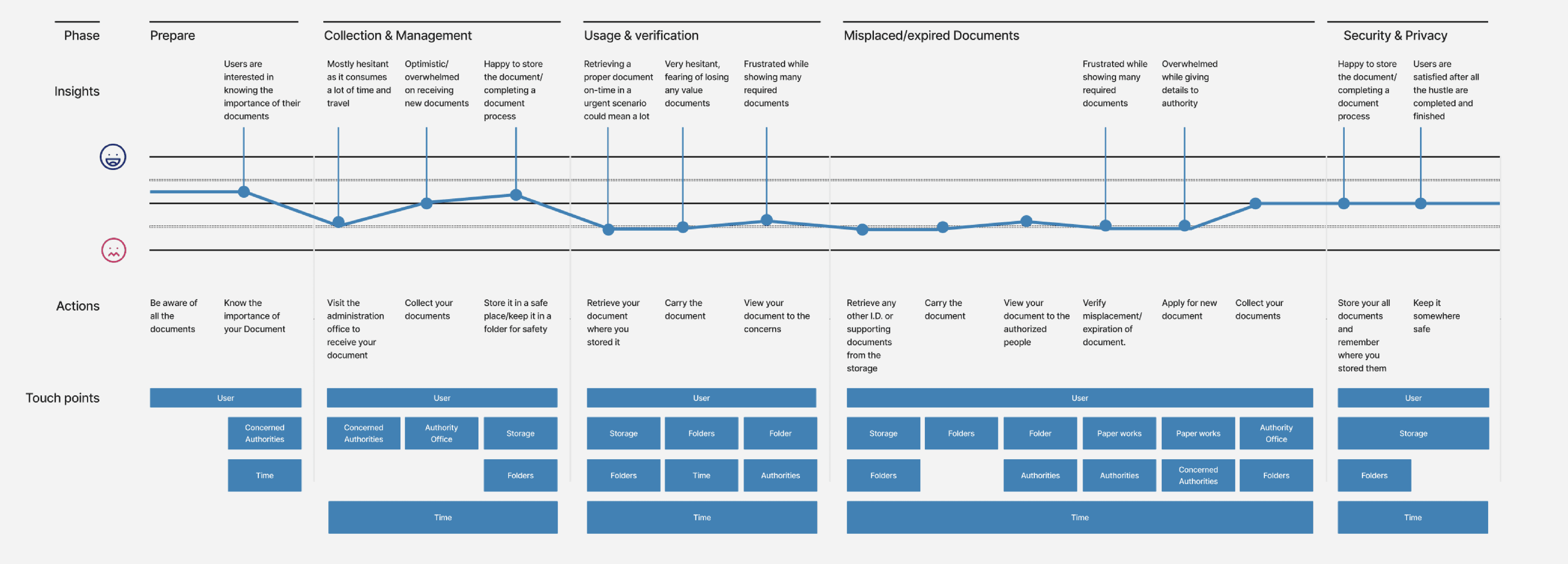
Data analysis for DocFolio focused on synthesizing insights from user interviews, surveys, and journey maps to identify recurring pain points and unmet needs. By validating assumptions and uncovering behavioral patterns, these insights informed design decisions and ensured the platform aligned closely with real user workflows, resulting in a more intuitive and seamless document management experience.
Journey map
James want to rejoin grad school but feels stressed managing scattered transcripts and certificates. After losing a key document before, he needs a secure way to organize everything efficiently.
Ideation
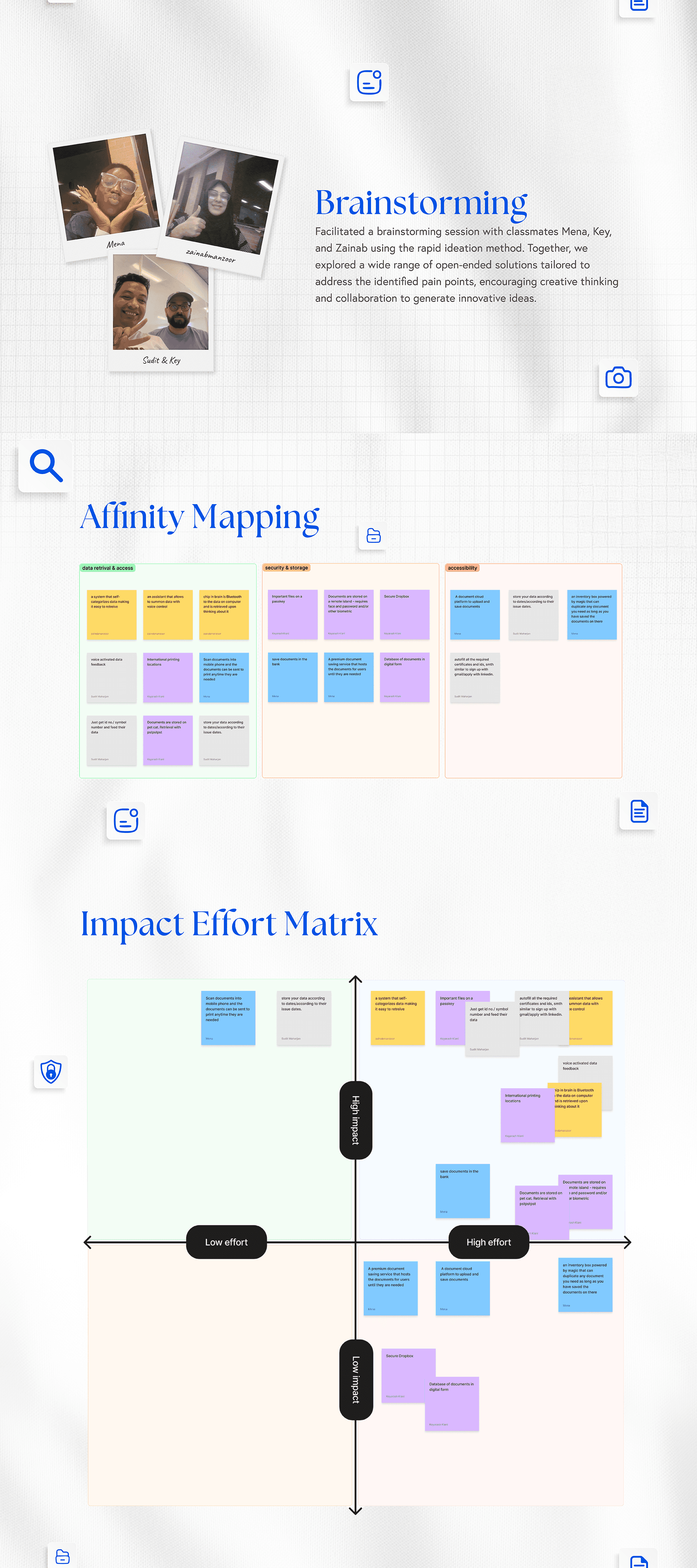
Facilitated a brainstorming session with classmates Mena Udezi, Key Kiani, and Zainab Manzoor using the rapid ideation method. Together, we explored a wide range of open-ended solutions tailored to address the identified pain points, encouraging creative thinking and collaboration to generate innovative ideas.
Solution
Choosing to store your data according to dates or issue dates simplifies retrieval by creating an organized timeline, making it easy to locate documents based on when they were created or needed. This structure is intuitive and can reduce search time, especially for documents that follow a chronological relevance, such as certificates, licenses, and financial records.
Design
Exploring Initial Concepts: Paper Prototypes and Sketches for Document Management Features
Design
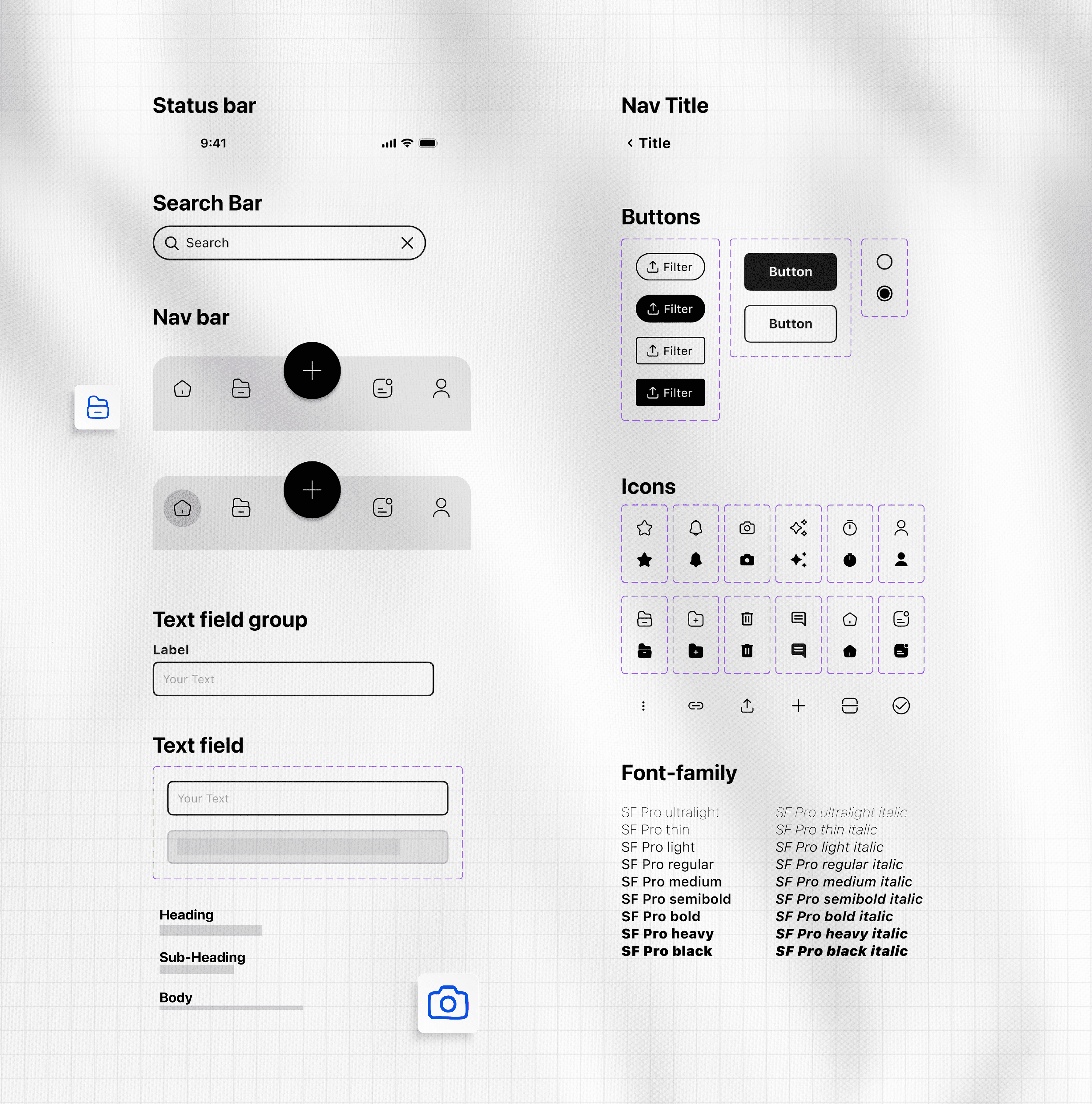
Building a Cohesive Foundation: A Mid-Fidelity Design System for Interface Consistency
Design
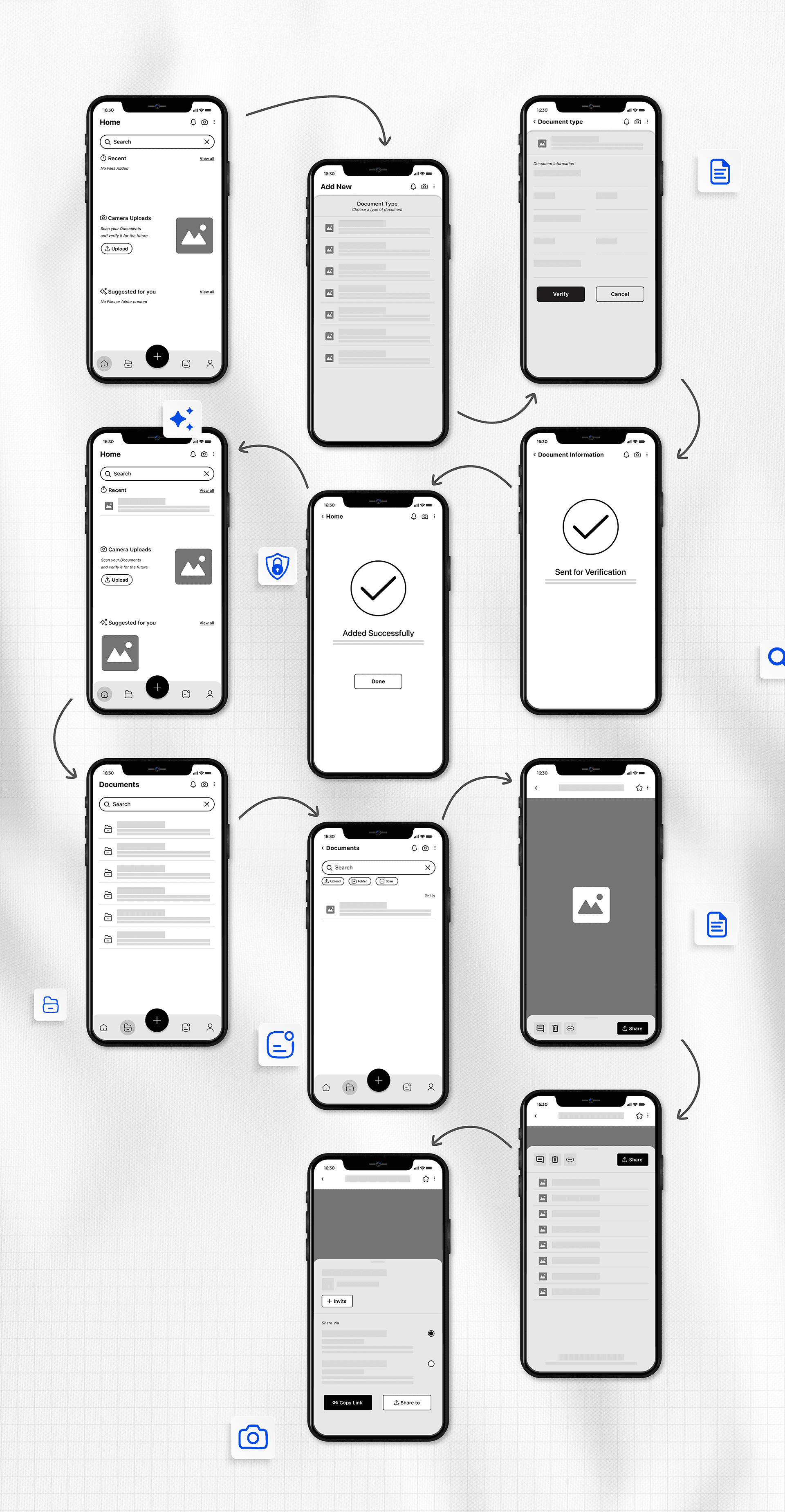
The mid-fidelity wireframes for DocFolio feature a polished, grayscale design layout that incorporates a consistent design system, including icons, navigation bars, fonts, and placeholders. These wireframes provide a clear visual representation of the app’s structure and user flow, offering a glimpse into how the final product might look and function. By designing a complete user flow based on the flowchart, the wireframes ensure logical navigation and usability, bridging the gap between concept and high-fidelity prototyping.
Next step 1
Conduct usability testing with target users to gather feedback on the mid-fidelity prototype. This will help identify any usability issues, confusion in navigation, or functionality gaps. Iterate on the design based on the feedback to refine the user experience. Adjust the layout, features, and interactions as needed to align with user expectations and needs.
Next step 2
Create high-fidelity prototypes incorporating detailed design elements such as colors, graphics, and animations. This step will help visualize the final look and feel of the product, making it easier for stakeholders to understand and approve. Finalize the design system with all necessary visual components, including detailed icons, consistent typography, color schemes, and object placement, ensuring everything is cohesive and aligned with the brand.
Next step 3
Break down the high-fidelity prototype into manageable development tasks for your development team. Each feature should be mapped to specific screens and interactions. Establish a clear roadmap for development, setting timelines for each phase (front-end and back-end development, integration with databases, security protocols, etc.).
Next step 4
Conduct further usability testing after initial development to identify any unexpected issues. Use this feedback to make refinements before launching the final product. Plan for iterative updates post-launch, gathering ongoing user feedback to ensure the platform continues to meet user needs effectively.
Potential features
Future development roadmap Key areas identified for future development include smart notifications for expiring documents, third-party verification integrations for academic institutions, enhanced encryption and security features, cloud backup with scalable storage, document usage analytics, and localization support for international users. Each feature addresses a specific pain point uncovered during the research phase.